Inspire Blog

Make Your Word Documents Accessible for All

In this post I’m returning to an important topic: accessibility. In a previous blog my colleague Susan Fein explained how everyone benefits from more accessible materials and that a large number of our students have some degree of disability. Word documents are ubiquitous in our courses, as well as for other work-related activities. If a Word document is designed for digital consumption – such as posting in the Learning Management System or on a website – it needs to comply with accessibility standards. Fortunately, Word includes excellent tools for making your file accessible! I will first go over the main accessibility features, and then show you how to implement them in the video below. Accessibility checker: Word includes a tool … Make Your Word Documents Accessible for All
The Seven “Cs” of Successful Team Collaboration

According to the 2020 Brandon Hall Group Team Development Pulse Survey findings (Werder, 2021), at least half of work is currently done in teams in over seventy percent of companies. Global Human Capital Trends (2016) confirmed that this trend is continuing, with over 7000 organizations moving towards more team-based designs. However, the success of team collaboration is not a guarantee and requires diligent planning and hard work. Tannenbaum and Salas (2020) suggest that there are seven “Cs” (or drivers) of teamwork, namely: capability, cooperation, coordination, communication, cognition, coaching, and conditions. To contextualize and apply each of these 7 “Cs”, I’ll use a recent team collaboration I participated in as an example. A team of four staff from Oregon State University … The Seven “Cs” of Successful Team Collaboration

An Introduction to Markdown

This past February, I was putting together a proposal for the 2022 Distance Teaching & Learning (DT&L) Conference, and I shared my draft with a couple of my colleagues for feedback. Typically, when requesting feedback, our team relies on Google Docs, which has a nice feature set for suggesting edits. However, I was not using Google Docs. I explained that they would be viewing my formatted document on HackMD, a collaborative web-based Markdown tool. One of the colleagues I had asked for feedback responded: What are the pros and cons compared to a google doc, may I ask? That question inspired this blog post. What is Markdown? Markdown is a plain text format with a simple syntax to add formatting … An Introduction to Markdown

Five Tips for Making Accessible PowerPoint Slides

By Susan Fein, Ecampus instructional designer If you use slide presentations to deliver information and then provide a digital version of the slides to support learners, this post is for you! Instructors teaching online or who use a companion LMS or website to accompany in-person classes often upload the slide file to aid students in notetaking. However, you may not be aware that digital files are not automatically accessible to those using assistive technologies, such as screen readers. Following a few simple and easy guidelines will improve accessibility of your materials for all students and demonstrate your thoughtful attention to inclusivity and equity. Who Benefits from Accessibility? Everyone, not only those with disabilities, benefit from accessible learning materials. The U.S. … Five Tips for Making Accessible PowerPoint Slides

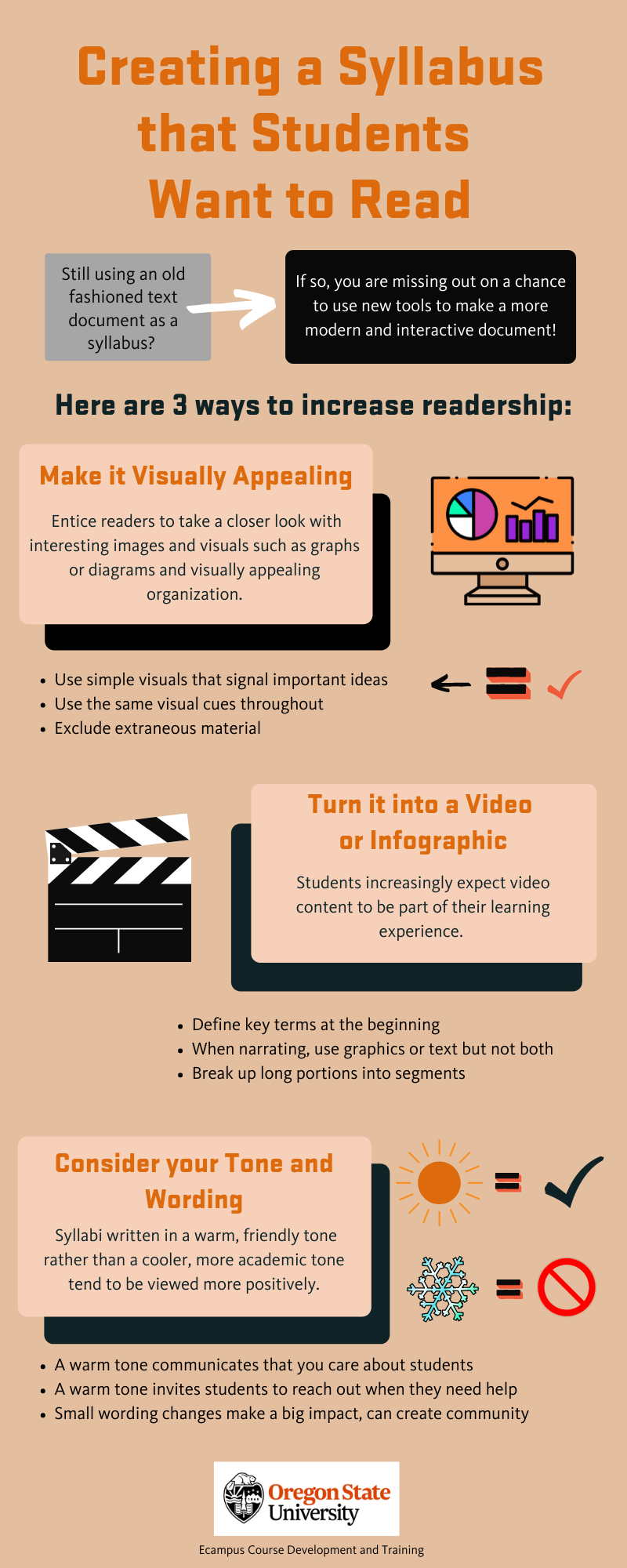
Creating a Syllabus that Students Want to Read

Tricks to creating a syllabus students want to read

In December 2021, CNN published a news story that went viral, featuring a Tennessee professor who hid in his syllabus a combination that led to a locker with a crisp $50 bill for the taking. When he announced at the end of the term that not a single student had claimed the prize, few were actually surprised. Hiding an Easter egg of this sort in the text of your syllabus is certainly a fun idea and a nice bonus for the most diligent student(s) who might find it, but there are other ways to get students to read what could arguably be the most important document in your course.  A course syllabus has traditionally served many overlapping purposes. From an … Creating a Syllabus that Students Want to Read