
Inspire Blog Category: Tips & Tricks

Designing the open course: Why Instructional Designers should follow a “right to repair” plan

Intro The concept of the ‘right to repair’ has been on my mind recently, both as a user of tech products and as a designer of online courses. Electronics are notorious these days for their enigmatic design. The user is not trusted to make repairs or is restricted in the ways they can interact with device components. This is a choice made by manufacturers to limit access to approved vendors or repair shops. Instructional Designers have a similar choice when building courses. Do we follow a restrictive approach to modifications, or open up courses by anticipating, welcoming, and providing the resources for modifications? Difficult by design I recently experienced the restrictive side myself as I needed to fix an air … Designing the open course: Why Instructional Designers should follow a “right to repair” plan
Improving Student Engagement and Connection in Online Learning: Part II, Methodologies and Practices

Introduction Since the first post in the series appeared a few months ago, we have received plenty of feedback from other instructors who are actively engaged in online education. Some of the stories shared by them reiterate the points we discussed, and others included tips and techniques that have worked particularly well for them. Almost all of them agreed that teaching well online remains a challenging task. “I love the notes on proactive student support … especially the notes on checking in with those who are behind. Sometimes all they need is a little empathy!” Vic Matta, Associate Professor, College of Business, Ohio University  “I regularly incorporate each of these in my relationships with my students, to include weekly zoom … Improving Student Engagement and Connection in Online Learning: Part II, Methodologies and Practices

An Introduction to Markdown

This past February, I was putting together a proposal for the 2022 Distance Teaching & Learning (DT&L) Conference, and I shared my draft with a couple of my colleagues for feedback. Typically, when requesting feedback, our team relies on Google Docs, which has a nice feature set for suggesting edits. However, I was not using Google Docs. I explained that they would be viewing my formatted document on HackMD, a collaborative web-based Markdown tool. One of the colleagues I had asked for feedback responded: What are the pros and cons compared to a google doc, may I ask? That question inspired this blog post. What is Markdown? Markdown is a plain text format with a simple syntax to add formatting … An Introduction to Markdown

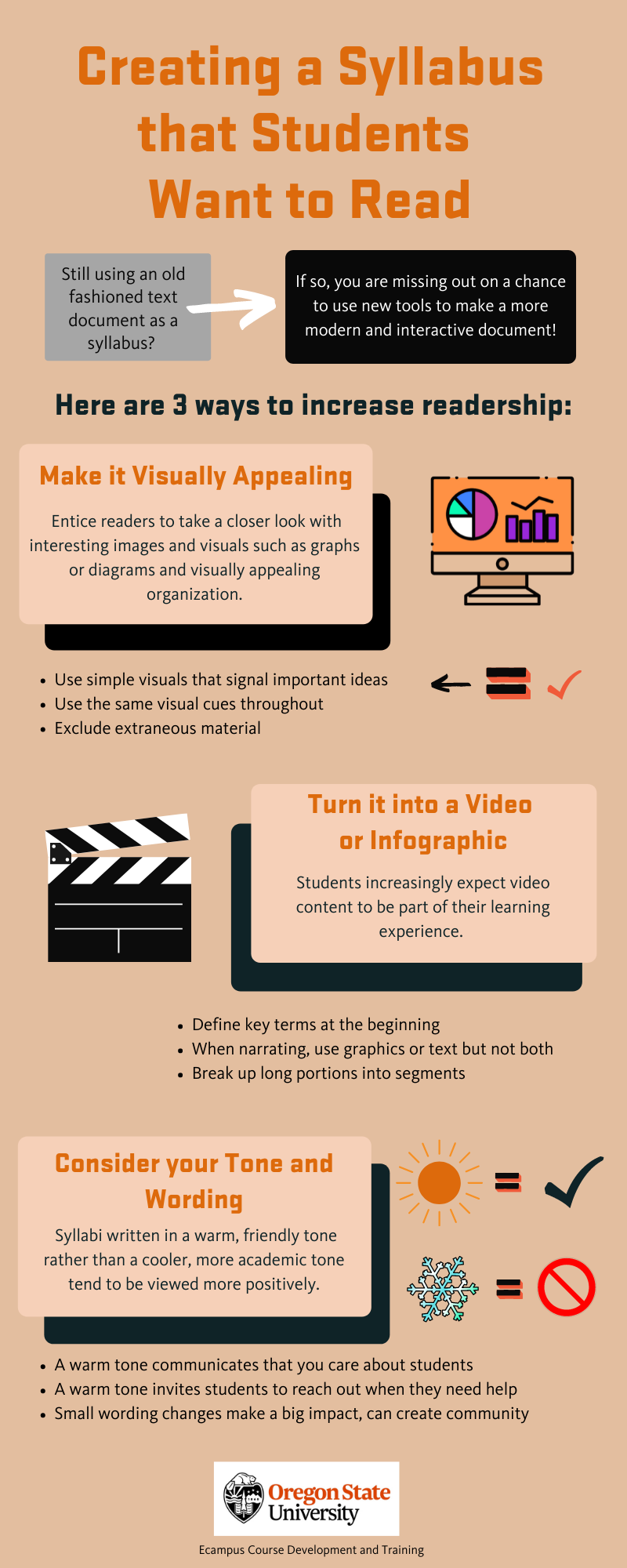
Creating a Syllabus that Students Want to Read

Tricks to creating a syllabus students want to read

In December 2021, CNN published a news story that went viral, featuring a Tennessee professor who hid in his syllabus a combination that led to a locker with a crisp $50 bill for the taking. When he announced at the end of the term that not a single student had claimed the prize, few were actually surprised. Hiding an Easter egg of this sort in the text of your syllabus is certainly a fun idea and a nice bonus for the most diligent student(s) who might find it, but there are other ways to get students to read what could arguably be the most important document in your course.  A course syllabus has traditionally served many overlapping purposes. From an … Creating a Syllabus that Students Want to Read

Course Design Challenge: Try Subtraction

In your work as an instructor or instructional designer, what kinds of course design problems have you been trying to solve lately? Perhaps there’s a discussion board assignment that you’d like to make more engaging, or maybe there’s a lab activity that students struggle with. According to recent research findings published in the journal Nature, “…people are more likely to consider solutions that add features than solutions that remove them, even when removing features is more efficient” (Meyvis, T. and Yoon, H., 2021). In a course design context, this means we will probably reach for something we can add to our course to fix a problem: a shiny new tool we learned about at a conference, an extra video lecture, … Course Design Challenge: Try Subtraction