Inspire Blog Category: Tips & Tricks

Customizing Your Canvas Course

Customizing your Canvas course is a simple way to create a smoother, more intuitive learning experience—for both you and your students. With a few strategic adjustments, you can create a polished, efficient Canvas set-up that gives students a clean, streamlined learning environment. Personalize Your Home Page Instructors can choose which page students see first when clicking into their Canvas course, and a well-designed homepage can act as a dashboard for the entire course. Most Ecampus courses have a home page that includes a custom banner with the course code and name as well as links to the modules, Start Here module, and Syllabus page. You might want to add links to external tools or websites your students will use frequently … Customizing Your Canvas Course
Haunted by a Blank Course: Tales from a First-Time Developer

Special Edition: Guest Blog by Assistant Professor of Practice (Urban Forestry), Jennifer Killian When I was asked to create a new course for Oregon State University’s Ecampus program, my first reaction was a mix of sheer excitement… and, well, a little terror. I’ve built workshops, presentations, and even all-day trainings, but assembling ten weeks of graduate-level content from scratch? That felt like wandering through a haunted house to me. Dark, empty, and full of unknowns. Adding to the surrealness, I realized that thirteen years ago, I was a graduate student here, taking several Ecampus courses myself including an early version of the very class I would now be teaching. The idea that I could bring my professional experience back to … Haunted by a Blank Course: Tales from a First-Time Developer

When Passing Is Failing: Cultivating Critical AI Literacy

We all remember the warning from math class: “You won’t always have a calculator in your pocket!” How we laugh now, with calculators first arriving in our pockets and, eventually, smartphones putting one in our hands at all times. I have seen a lot of comparisons across the Internet to artificial intelligence (AI) and these mathematics classes of yesteryear. The idea being that AI is but the newest embodiment of this same concern, which ended up being overblown. But is this an apt comparison to make? After all, we did not replace math lessons and teachers with pocket calculators, nor even with smart phones. The kindergarten student is not simply given a Casio and told to figure it out. The … When Passing Is Failing: Cultivating Critical AI Literacy

Improving the Feedback Cycle, Part 2

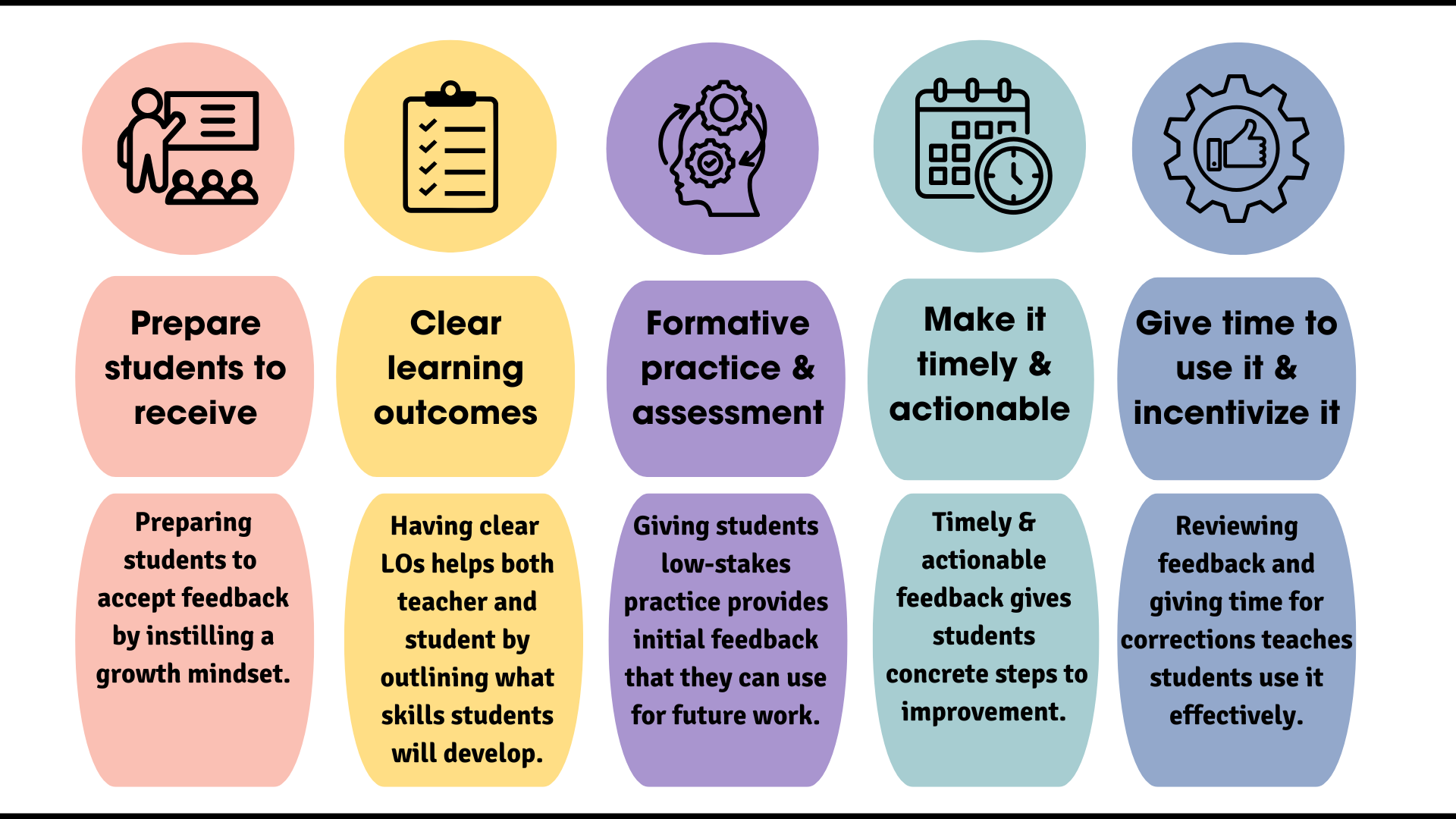
chart describing the steps in the feedback process

In part one of this two-part blog series, we focused on setting the stage for a better feedback cycle by preparing students to receive feedback. In part two, we’ll discuss the remaining steps of the cycle- how to deliver feedback effectively and ensure students use it to improve. In part one, we learned about the benefits of adding a preliminary step to your feedback system by preparing students to receive suggestions and view them as helpful and valuable rather than as criticism. If you haven’t read part one, I recommend doing so before continuing. This first crucial but often overlooked step involves fostering a growth mindset and creating an environment where students understand the value of feedback and learn to … Improving the Feedback Cycle, Part 2

Improving the Feedback Cycle, Part 1

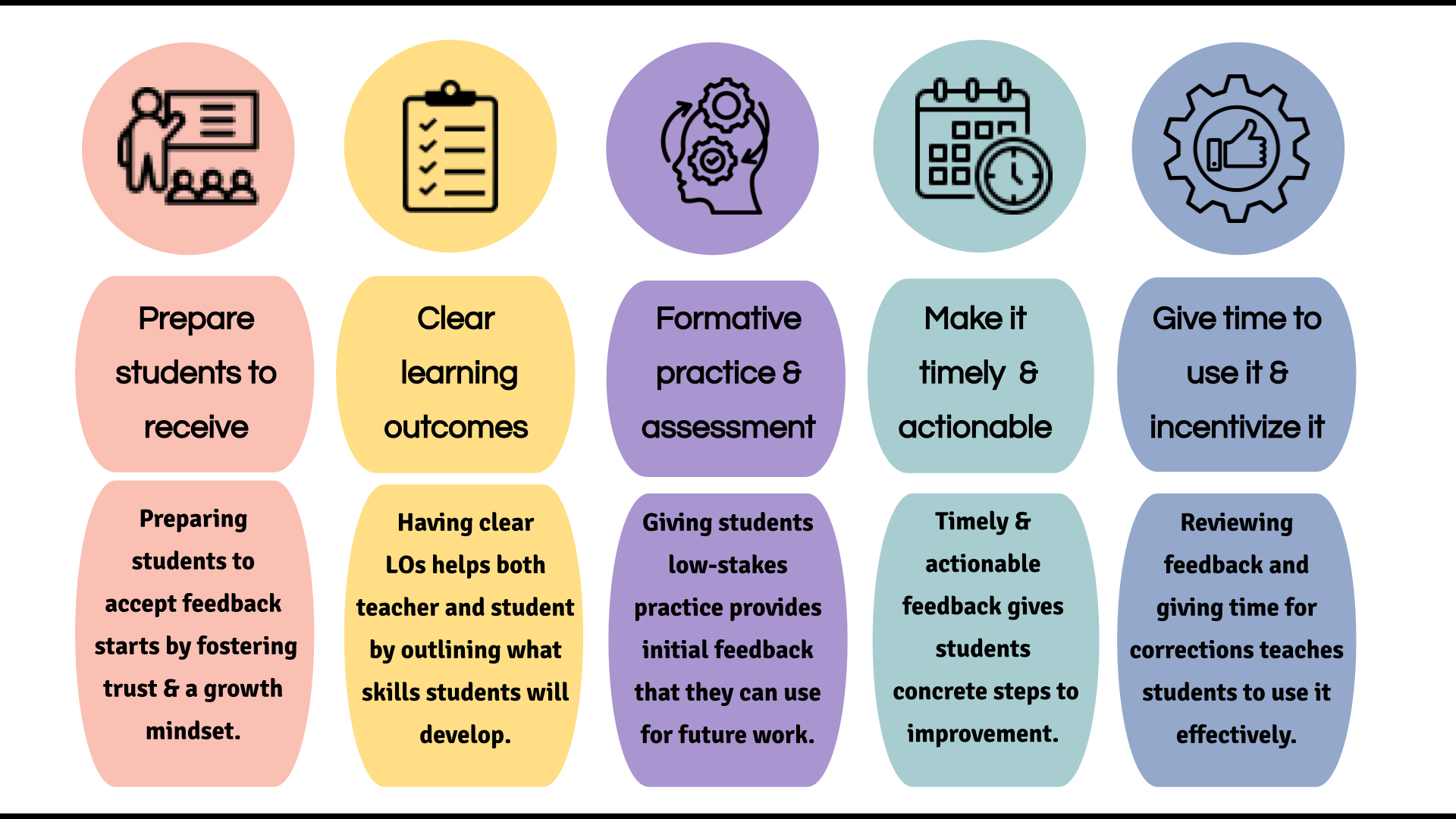
graphic image of the five steps in the feedback cycle

An effective feedback cycle starts before the feedback is given by laying careful groundwork. The first and often-overlooked step in the cycle is preparing students to receive feedback, which takes planned, ongoing work.